Skip to project details
Back to workEZZY RAPPEPORTGet in touch

Native macOS / Independent project

Downright

Comfortable to read. Precise to edit.

I built Downright around a simple constraint: the reading experience can change, but the file belongs to you.

Creator & Engineer2026

Downright's native document view
Actual product recording

Open from Finder, read the document, inspect its source, and review an external rewrite. Silent recording from Downright’s public README.

01 / The document

Start with a file. Keep it a file.

A Markdown document should be comfortable to read, precise to edit, and easy to open from wherever it already lives.

That choice runs through the architecture. There is no import step into a separate library. The original text remains authoritative, and reading, live editing, and source views share one native text surface.

Your .md fileOriginal folder.
Original text.
One source bufferTextKit 2 stores the text.
Rendering decorates it.
Native surfacesRead and edit in the app.
Preview in Finder.
Architecture and invariants

02 / The decisions

The constraints shaped the editor.

Keep the source authoritative.

I kept the raw Markdown in a single TextKit 2 surface. Reading presentation is built with attributes and layout fragments, so formatting never replaces the underlying characters. Selection, copy, and undo remain tied to the source.

The tradeoffHiding syntax requires an explicit map between source positions and what appears on screen. That complexity belongs in the renderer.

Read the implementation
Treat external edits as part of the workflow.

A file may be rewritten by another editor or a coding agent. Downright watches the parent directory so atomic file replacements are noticed. It snapshots the incoming content, preserves reading position where possible, and offers Review, Keep Mine, or Take Theirs when local edits are unsaved.

The tradeoffSnapshots and conflict review add state to the app. They also make it possible to recover a version and choose what to keep.

Read the implementation

Bring the document into Finder.

I extended the shared parsing and rendering contracts into Quick Look. Finder gets a native document preview with selectable text, while the app and extension retain their own resource limits.

The tradeoffLarge documents need bounded previews and plain-text fallbacks. The extension cannot spend the same resources as an app window.

Quick Look implementation

03 / In use

The details are the product.

The workflow extends beyond typing: open a file, read it comfortably, inspect the exact source, and stay oriented when something else changes it.

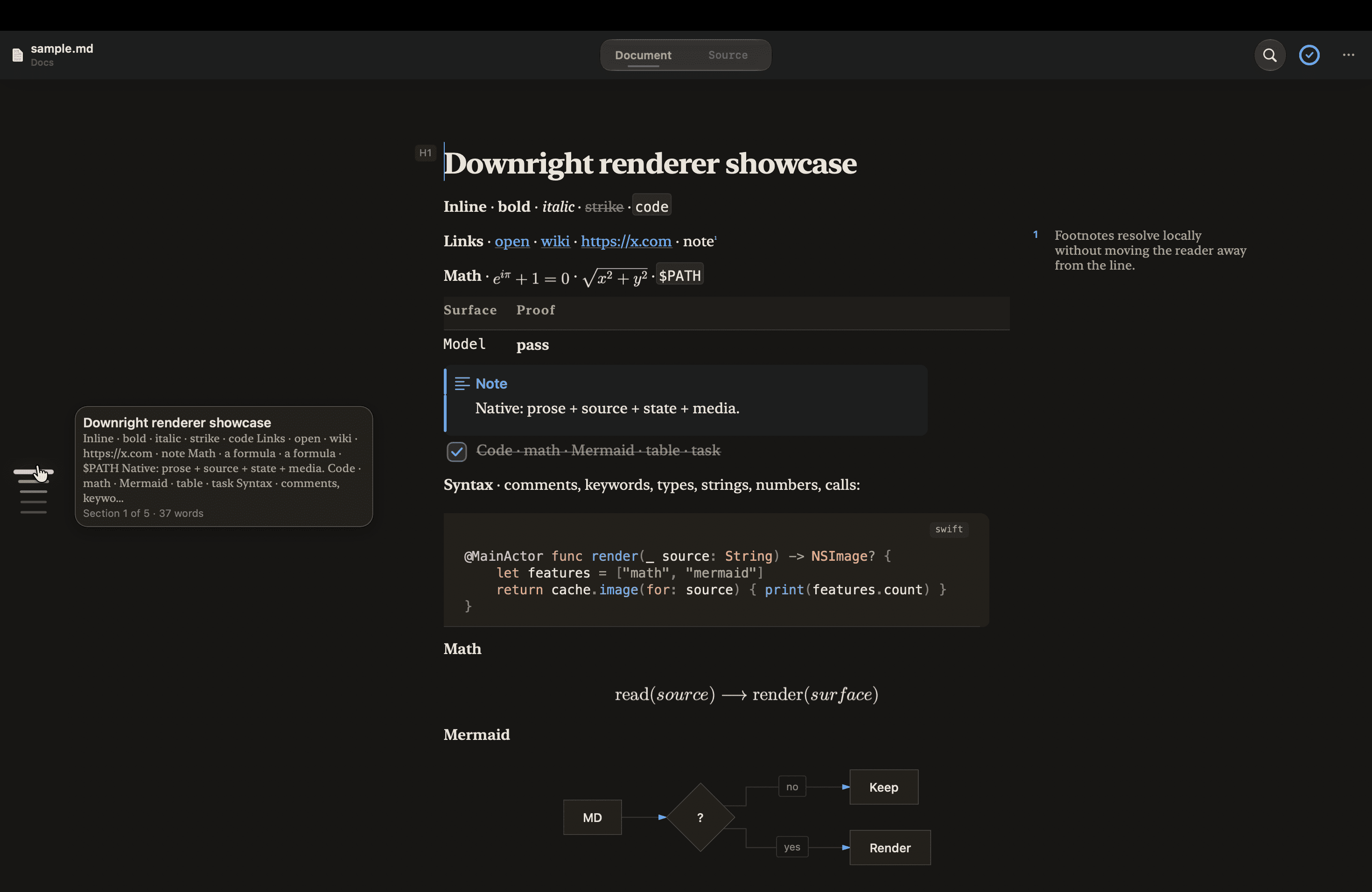
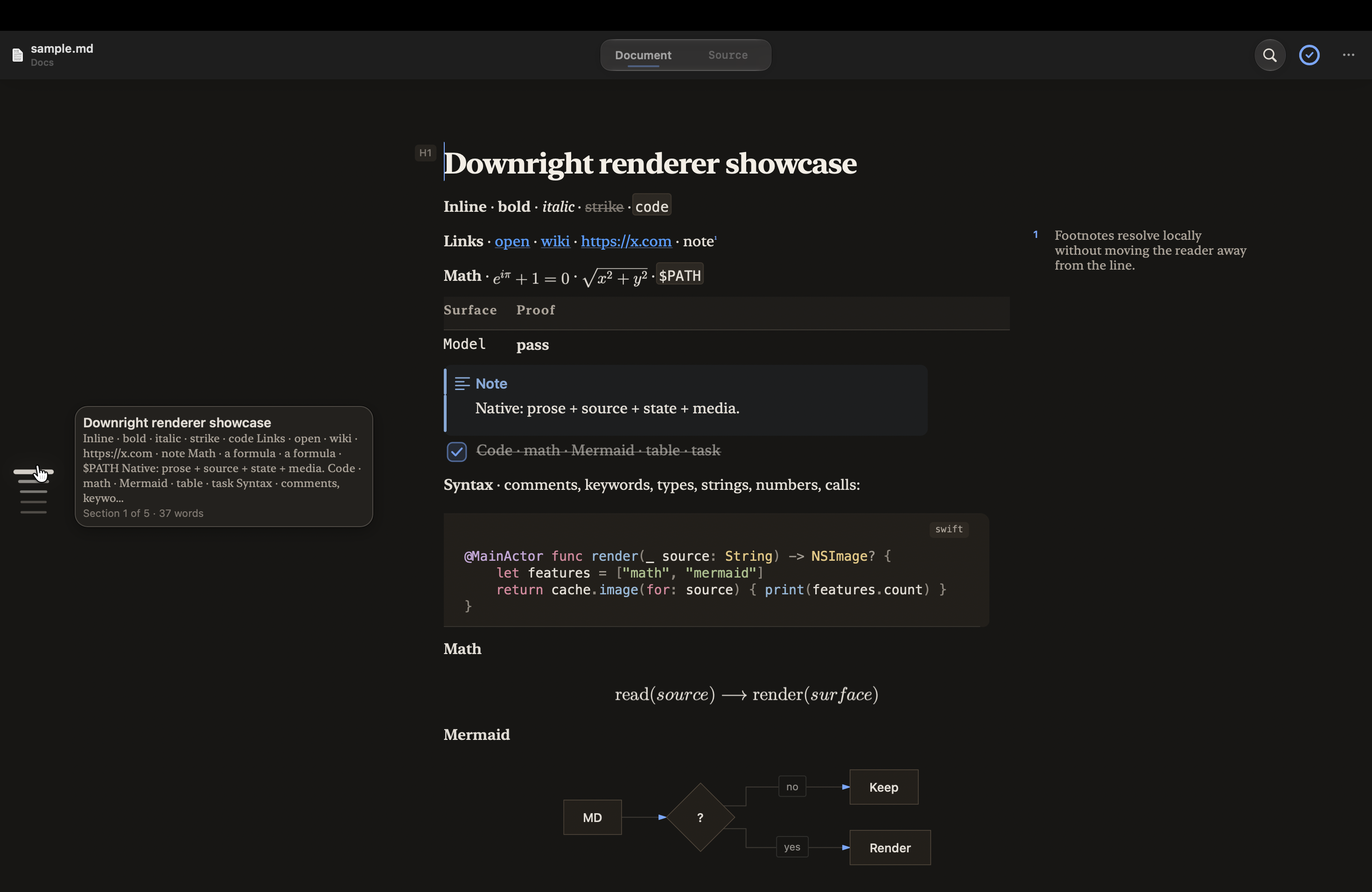
Close view of Downright's real document rendering, with code, math and a diagram
Rendering detail

A closer crop of the public renderer showcase. Code, math, tasks and diagrams live within the document's native layout.

About these captures

The still is the real renderer showcase from Downright’s repository. The ten-second clip is its public README recording, converted to a smaller video for on-demand playback. Neither is a portfolio recreation of the app.

Original product capture
Original recording

04 / The result

A Mac app you can use.

Downright is available as a signed, notarized macOS app. Its source is public, and core reading and editing run locally without an account.

The part I care about most is the continuity: the same file, the same text, and a reading position that survives a change of view or an external rewrite.

Explore the app, download the current release, or read how its document pipeline works.

Visit Downright
Next: from native documents to inspectable agent systems

MonkeyClaw